
OccaviaDigital Invitations

Wedding Reception Slideshow: How to Plan One People Actually Watch

A wedding reception slideshow works best when it's short, well timed and tested on the real screen before anyone sits down. Aim for about 5 to 10 minutes, roughly 50 to 100 photos, and one clear story from childhood to the wedding day. There are two kinds worth planning: the classic prepared slideshow you build in advance, and a live slideshow where guests' own photos from the day appear on a screen as they share them. This guide covers ideas, length, music, timing, the AV checklist, etiquette and how to run both at the same wedding.

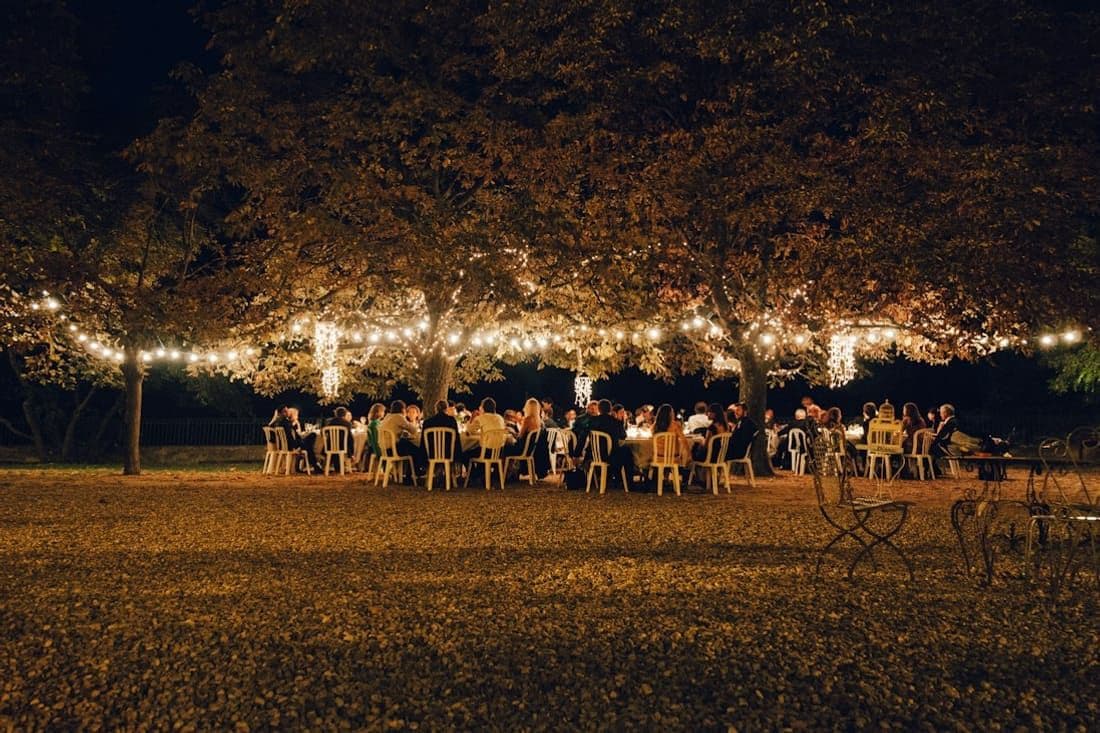
Guests at an evening reception under trees strung with lights
On this page
  1. Prepared or live: two kinds of wedding reception slideshow
  2. Wedding slideshow ideas: what to include
  3. How long should a wedding slideshow be?
  4. Wedding slideshow songs: pick the mood first
  5. When to show the slideshow at the wedding reception
  6. Live photo slideshow: guests' photos on a screen at the wedding
  7. AV checklist for a projector or TV at the wedding
  8. Slideshow etiquette: check before it hits the big screen
  9. The best of both: slideshow at dinner, live photo wall at the party
  10. Frequently asked questions

Prepared or live: two kinds of wedding reception slideshow

A prepared slideshow is the one most people picture: childhood photos, awkward teenage haircuts, how you met, the proposal. You, a sibling, friends or parents build it weeks ahead, set it to music and play it once, with the whole room watching. It's a moment in the program, like a toast told in pictures.

A live slideshow works differently. Guests take photos during the day, share them from their phones, and the pictures loop on a TV or projector screen through the evening. Nobody sits down to watch it: people drift past, spot themselves at the ceremony an hour earlier and call their friends over. It's closer to a wedding photo wall display than a presentation.

They do different jobs. The prepared slideshow tells your story to people who only know part of it. The live one shows the day through your guests' eyes, including moments you and your photographer never saw. They don't compete, and plenty of couples run both.

Wedding slideshow ideas: what to include

The strongest prepared slideshows follow a simple arc. Try these chapters, in order:

  • Early years: one or two baby photos each, school pictures, a family holiday
  • Growing up: hobbies, graduation, the friends who are sitting in the room tonight
  • How you met: the first photo of you together, even if it's blurry
  • The relationship: trips, pets, the first apartment, a few everyday moments
  • The proposal and the build-up to today
  • A closing thank-you slide

Other wedding slideshow ideas that always land: photos of you both at the same age side by side, a slide of each set of parents on their own wedding day, and group shots with as many guests in them as possible, because people love finding themselves.

Short captions help the story along. Keep them to a few words in a large, plain font:

[Name], age 4, already running the house Our first photo together, [Year] [City], where it all started Thank you for being part of our story. Now let's dance!

How long should a wedding slideshow be?

About 5 to 10 minutes is the sweet spot. Under five minutes feels rushed if you're covering two whole lives; past ten, attention drifts, conversations restart and the catering team needs to get on with service.

A handy rule of thumb is 5 to 7 seconds per photo, which works out to roughly 8 to 12 photos per minute:

  • 5 minutes: about 40 to 60 photos
  • 8 minutes: about 70 to 95 photos
  • 10 minutes: about 85 to 120 photos

Give captioned photos a little longer so people can read them, and group shots too, because guests scan them for familiar faces. If you have far more photos than that, don't speed up the slides. Cut hard, or put the extras on a silent loop during cocktail hour, when nobody needs to watch from start to finish.

Two or three songs usually cover a slideshow of this length, which makes choosing the music much easier.

Wedding slideshow songs: pick the mood first

Instead of hunting for the perfect song first, decide on the mood and let the tracks follow. Slideshow music works best as a small arc:

  • Childhood: warm and nostalgic. Soft acoustic, piano, or a classic from the years your parents were young
  • Meeting and dating: mid-tempo and feel-good. Pop, soul, indie, or an upbeat track that genuinely played in your life together
  • The ending: a lift. Something joyful that hands the room over to the party

Instrumental versions are your friend under captions or tributes, because lyrics compete with reading. Listen closely to every lyric you do use: plenty of songs that sound romantic are really about breaking up or leaving. Choose tracks with a clean start, and fade the last one out rather than cutting it mid-chorus.

Follow your own taste, not the charts. Talk to your DJ or band early so the slideshow music doesn't repeat your first dance song and the switch back to party music feels smooth. And if you plan to post the video online afterwards, remember that platforms often mute or block commercially released music.

When to show the slideshow at the wedding reception

Timing decides whether people watch or talk over it. The best moments are when guests are seated and the room is already calm:

  • After the main course, before the speeches, when plates are cleared and everyone faces the front
  • Between speeches, to give the room a breather
  • Right before the first dance, as a lead-in to the party

Avoid playing it while food is being served, when there's a queue at the bar or once dancing has started. Ask your MC, DJ or a friend to announce it, dim the lights if the venue allows, and set the volume before the first slide.

Start collecting photos about two months out: asking relatives for old pictures and scanning prints always takes longer than you expect. To see where this task fits alongside everything else, add it to your month-by-month wedding planning timeline.

Live photo slideshow: guests' photos on a screen at the wedding

A live slideshow turns every guest's phone into a second photographer. The idea is simple: guests scan a QR code on a printed sign, upload what they've shot, and a laptop connected to the TV or projector shows the photos in a loop. Put QR signs at the bar, on the tables and by the entrance so people can add photos from wherever they're standing. Our guide to wedding QR code signs has wording and placement ideas.

If you're using Occavia, every invitation includes a projector / live view link in your dashboard. Open it in the browser on the laptop connected to the screen and switch the browser to full screen. Guests' photos and videos appear one at a time, full screen, with a soft cross-fade; photos are fitted to the screen, never cropped, and each stays for about 6 seconds. Videos play muted and long clips move on after about 30 seconds, so the DJ stays in charge of the sound. A corner shows a Live badge, your names and a count.

New uploads are picked up automatically every few seconds and join the loop, so the wall keeps growing as the night goes on. Guests scan the QR code with their phone camera and upload with no app and no account, and the screen needs nothing but a browser. See how guest photo sharing for weddings works.

AV checklist for a projector or TV at the wedding

Most slideshow disasters are technical, and nearly all of them are avoidable with a test run. Go through this list with your venue coordinator:

  • Screen: ask whether the venue has a projector and screen or a large TV. If not, rent one, or bring a big TV for a smaller room
  • Cable: an HDMI cable long enough to reach, plus the right adapter for your laptop (many newer laptops only have USB-C ports)
  • Power: keep the laptop plugged in all evening
  • Sleep settings: turn off screen sleep, the screensaver and automatic updates, and silence notifications
  • The file: export the prepared slideshow as a single landscape (16:9) MP4 video with the music built in. Keep one copy on the laptop and one on a USB stick, and don't rely on streaming it from the cloud
  • Internet: a live slideshow needs a connection. Test the venue Wi-Fi in the actual room where the screen will be, and bring a phone that can run a mobile hotspot as a backup
  • Test at the venue: the day before if the venue allows, or at least a few hours before guests arrive, with the lighting set as it will be in the evening
  • A person in charge: one friend or the DJ who knows the laptop password and what to press
  • Placement: put the screen where people gather, such as near the bar or lounge area, visible from the tables but not blocking the dance floor

Slideshow etiquette: check before it hits the big screen

Whatever goes on a big screen, assume grandparents, children and your boss will see it. For the prepared slideshow:

  • Skip photos with exes, even cropped ones. People notice
  • Leave out anything either of you would find embarrassing, and ask siblings before showing their awkward phase
  • Keep it balanced: a similar number of photos of each of you and each family
  • Handle tributes to relatives who have passed with care. One calm slide works better than a sudden sad moment in the middle of an upbeat song

A live slideshow is harder to predict, because you don't choose the photos. Late in the evening someone will upload an unflattering dance-floor shot, or a picture of a guest who didn't want to be photographed. The fix is to review photos before they reach the screen. With Occavia, turn on photo review and the screen shows only approved photos. You can also set a reveal time, and the screen stays on a waiting message until then, which is handy if you'd like to keep the day's photos a surprise until the party starts. Our guide to the digital disposable camera for weddings goes deeper into approving and revealing guest photos.

The best of both: slideshow at dinner, live photo wall at the party

You don't have to choose. A plan that works for most receptions:

  • Cocktail hour: screen off, or a silent loop of engagement photos
  • Dinner: play the prepared slideshow once, with sound, after the main course or before the speeches
  • The party: switch the laptop to the live slideshow and leave it running once the dancing starts

The prepared slideshow gets its moment of full attention, and then the screen becomes something people wander up to all night. Only the prepared slideshow needs the sound system, so the DJ doesn't have to share. Ask your MC to mention the QR code signs right after the slideshow ends, when everyone is already looking at the screen and thinking about photos.

The live wall also leaves you something for afterwards. With an Occavia digital wedding invitation, the same album that feeds the screen gives you a Download all option for the approved originals as a single ZIP, so your guests' photos don't stay scattered across dozens of phones.

Frequently asked questions

How long should a wedding slideshow be?

Aim for about 5 to 10 minutes. That's long enough to tell both of your stories and short enough that guests stay with it. At 5 to 7 seconds per photo, that's roughly 40 to 120 photos, usually set to two or three songs. If you have more photos you love, trim the slideshow and play the extras as a silent loop during cocktail hour instead of rushing the slides.

When should you play a slideshow at a wedding reception?

Play it when guests are seated and the room is calm: after the main course and before the speeches, between speeches, or just before the first dance. Avoid meal service, the rush at the bar and anything after the dancing starts. Have your MC or DJ announce it and dim the lights if you can, so it feels like a moment rather than background noise.

What kind of music is good for a wedding slideshow?

Choose music by mood rather than popularity. Soft, nostalgic tracks suit childhood photos, mid-tempo feel-good songs fit the dating years, and something joyful makes a strong ending. Instrumental versions work well under captions. Check the lyrics of every song, avoid repeating your first dance song, and remember that commercially released music is often muted if you post the video online later.

How do I show guests' photos on a TV or projector at my wedding?

Use a photo sharing service with a live slideshow view. Guests scan a printed QR code with their phone camera and upload, and a laptop connected to the TV or projector by HDMI shows the photos in a loop. With Occavia, open the projector / live view link from your dashboard in the laptop's browser, switch to full screen, and new uploads join the loop within moments.

Do you need Wi-Fi for a live photo slideshow at a wedding?

Yes. The laptop showing the photos needs an internet connection, and guests need mobile data or Wi-Fi to upload. Test the venue Wi-Fi in the room where the screen will stand, not just in the office. If the signal is weak, a phone's mobile hotspot is often enough for the laptop. A prepared slideshow needs no internet at all if you play it from a downloaded video file.

What should you not put in a wedding slideshow?

Leave out photos with exes, anything that would embarrass either of you, inside jokes only three people understand, and unflattering pictures of guests. Ask family before using their photos, balance both sides of the family, and handle tributes to relatives who have passed with one calm slide. For a live slideshow, turn on photo review if your photo sharing service offers it, so only approved pictures appear.

Create your invitation